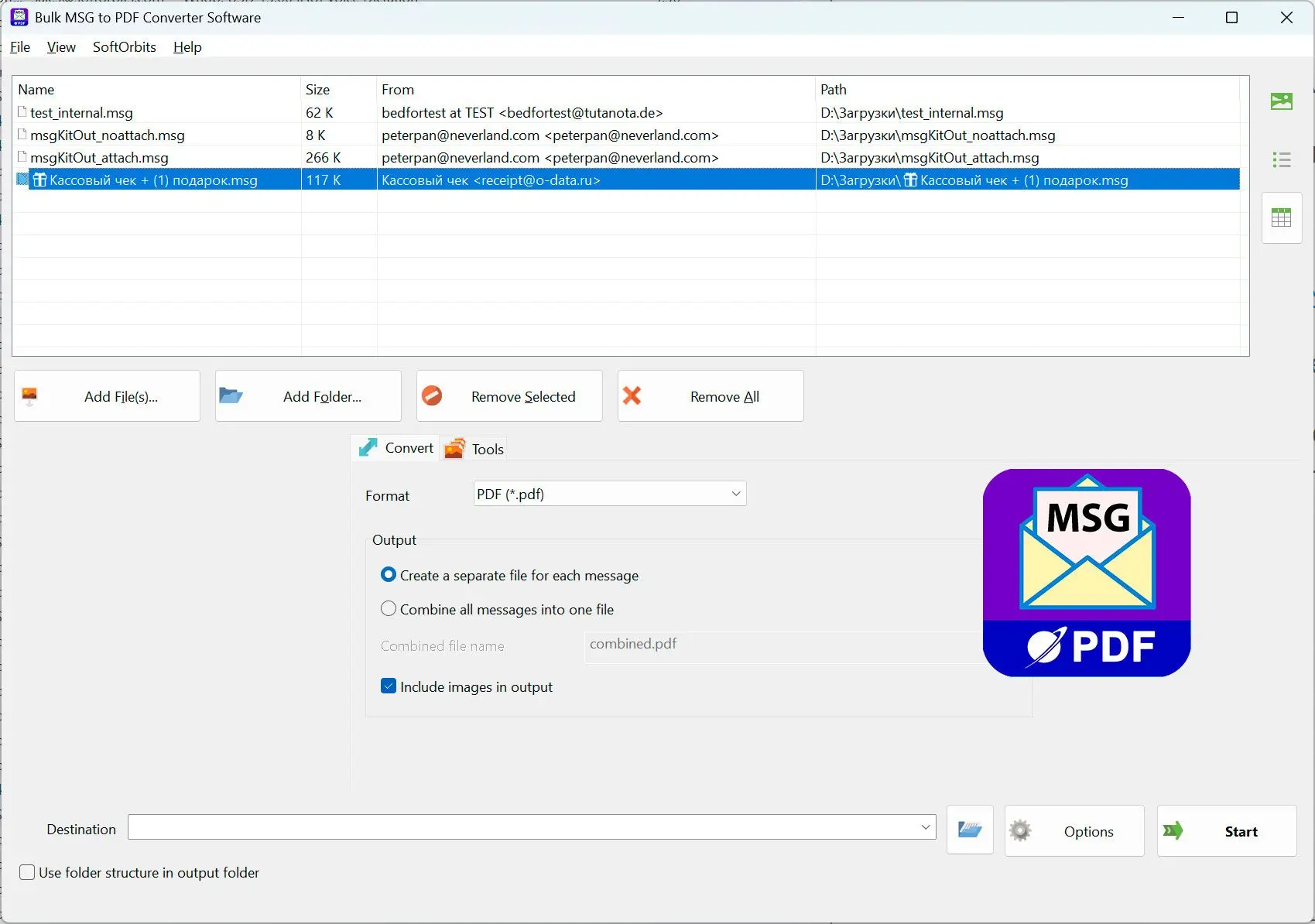
 MSG to PDF Converter Software
MSG zu PDF Konverter konvertiert Outlook .MSG E-Mail-Dateien stapelweise in PDF unter Windows, lokal und ohne installiertes Microsoft Outlook.
MSG zu PDF Konverter konvertiert Outlook .MSG E-Mail-Dateien stapelweise in PDF unter Windows, lokal und ohne installiertes Microsoft Outlook.
Single saved Outlook messages are .MSG files. To keep them as native mail in Outlook, use MSG to PST converter software. For a lighter cross-client format than PST, batch convert MSG files to EML. You can also convert loose .EML messages to PDF, or use an EML to PST converter to bring them into Outlook. To just read a folder of them first, open .eml files in a viewer that runs without Outlook. For loose .EML files, the Microsoft Store has SoftOrbits EML to PDF Converter Software.
To keep a Thunderbird profile or other mbox export as working mail, convert mbox to outlook.
A .PST archive holds every mailbox folder in one file. You can select folders and export them to PDF without Outlook running. The same exporter is listed in the Microsoft Store as Bulk PST to PDF Converter by SoftOrbits. To find the right thread before exporting, view the PST file; you can also open a PST file without Outlook installed. The viewer is also in the Microsoft Store as SoftOrbits PST and OST Viewer. If the archive is too large to move, back up, or open reliably, a PST splitter splits it by size, date, folder, or sender. An Outlook attachment remover takes the other route and strips the bulky files out of a copy of the archive. To keep it as working mail in Thunderbird, a pst to mbox converter produces the folder-per-file layout Thunderbird reads natively.
You can open an .OST file directly, browse its offline-cache folder tree, and export selected folders to PDF. To keep the mail in Outlook, convert OST to PST. The Microsoft Store has an OST to PST converter that works offline as well.
An exported address book contains .vcf cards. A vCard to CSV converter turns that folder into one spreadsheet you can open in Excel or import into Google Contacts. The same tool is in the Microsoft Store as VCF to CSV Converter by SoftOrbits. Calendar exports use .ics files; an ICS to CSV converter turns them into dated rows. After cleaning up a contact spreadsheet, use a csv to vcf converter to turn the rows back into cards a phone can import. For a mailing list, mail merge for Outlook and Excel sends each row its own letter, subject, and attachment.
How do you save an email as a PDF in new Outlook?
In the new Outlook, open the email, click the three-dot More actions menu, choose Print, then Print again, and pick Microsoft Print to PDF as the printer.
The new Outlook, Microsoft's 2023 redesign that replaced Mail and the classic client, removed the old File menu. Open your message, click More actions (the three dots at the top right), and choose Print. In the preview, click Print again, select Microsoft Print to PDF, and save. If you are moving to Gmail, a Gmail migration tool transfers your saved mail.
If a feature is missing, switch back to classic:
Microsoft acknowledges missing features in the new Outlook in its own Q&A threads. If you need one, use the toggle in the top-right corner to return to classic Outlook. File then Print is the dependable fallback.How do you save an Outlook email as a PDF on the web?
On Outlook.com and OWA, open the email, click More actions, choose Print, and select Microsoft Print to PDF in the browser print dialog, as in the new desktop app.
You do not need the desktop app. Open the message in Outlook on the web, click the More actions three-dot menu, and choose Print. In your browser's print dialog, select Microsoft Print to PDF or "Save as PDF" in Chrome and Edge, and save. Printing works message by message. To save a whole mailbox, backup Outlook emails into a single PST.
How do you save an Outlook email as a PDF with attachments?
Microsoft Print to PDF prints only the message body and leaves out file attachments. Save attachments separately, or use a converter that lists them by name and embeds inline images.
An attached contract or invoice will be missing from a printed email, as reported in Microsoft's Q&A. Do not treat that PDF as the complete record for legal or HR files. Outlook has no native way to merge file attachments into the printed PDF. For a Gmail mailbox, export Gmail to MBOX to keep every message with its attachments.
| Route | What you get | Best for |
|---|---|---|
| Print to PDF, then save attachments by hand | Body as PDF; attachments as separate files | One email, few files |
| Classic Outlook "Print attached files" checkbox | Body plus each attachment printed to PDF (often as separate prints) | Printable attachments only |
| A dedicated email-to-PDF converter | Body as PDF, file attachments listed by name; inline images embedded by option | Many emails, archiving |
Use the attachments checkbox in classic Outlook:
In classic Outlook, Print attached files in Print Options sends attachments to the default printer alongside the email. Set Microsoft Print to PDF as your default printer before using it; attachments may produce separate PDFs. It works for documents and images, but cannot print file types Windows has no printer handler for.A grayed-out or missing Print button in the new Outlook usually means you selected several emails. Select one message, or open it in its own window, to print.
For bulk PDF work, use a converter. To move a whole account, move email between mailboxes over IMAP.
Why do you get a .crdownload file instead of a PDF?
A .crdownload file means the browser-based print download did not finish. Re-run Print, choose Microsoft Print to PDF or "Save as PDF," and let the save finish before closing the window.
Some new Outlook users reported half-finished .crdownload files after a late-2023 update. The extension marks a partial Chromium download. Microsoft suggests choosing "Print using system dialog" in the print preview and selecting Microsoft Print to PDF there. If that fails, use File then Print in classic Outlook to bypass the browser engine.
Pitfalls when saving an Outlook email as a PDF
Three common problems have quick fixes: missing attachments, images cut off by the print engine, and unwanted browser headers.
Recover the mail from the broken PST before creating a PDF record. Printing from a partly readable archive can leave messages out.
Modern Outlook uses the Word engine to render email and removed Shrink to Fit, so large inline images can extend beyond the page. Users report this in Microsoft's community threads. Open the message with "View in Browser" and print from there; this usually scales images correctly.
Browser print dialogs can add the date, subject, page number, and page count. Open More settings and turn Headers and footers off before saving, as discussed in Microsoft's Q&A.
The Adobe Acrobat ribbon button can vanish when you select more than one email in Outlook 365. Adobe blamed Microsoft for this regression in the Adobe Community forum. Use a standalone converter for multiple emails.
 MSG to PDF Converter Software
Sources